
Microsoft Security Copilot
👋 Introduction
Security Copilot is a smart AI assistant for your IT team. It stands out as the only tool that combines an AI built specifically for security with Microsoft’s powerful tech. This unique mix allows it to spot hidden threats faster using massive amounts of data and tells you how to fix them. It connects seamlessly with the other M365 tools, like:
- Microsoft Defender XDR
- Microsoft Sentinel
- Microsoft Intune
- Microsoft Entra
- Microsoft Purview
- Microsoft Defender for Cloud
- External Attack Surface Management
- Azure security tools (eg. Azure Firewall)
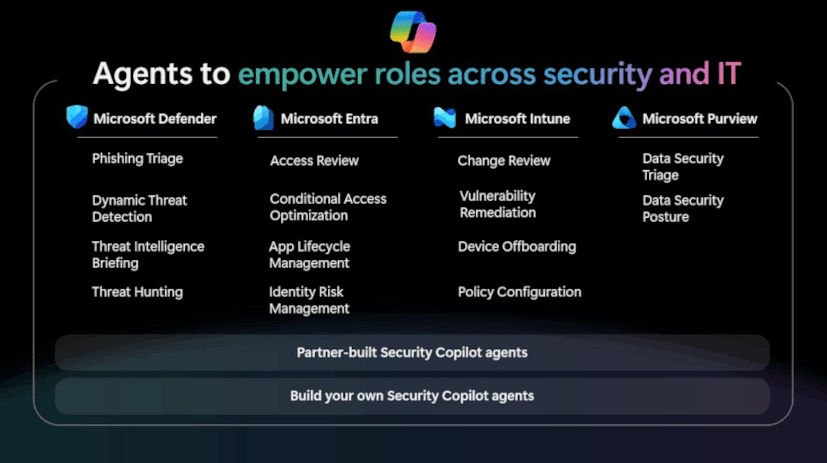
Security Copilot supports Microsoft-built agents, partner agents and custom agents that you can create yourself.
👷♂️ What can the Security Copilot do?
Firstly, Security Copilot provides a large number of agents that offer specific assistance with particular tasks in Entra, Intune, Defender, Purview and Sentinel. These range from analysing conditional access policies to triaging incidents. Secondly, it enables you to query your security data using natural language, write KQL queries and more. And thirdly, you can integrate third-party plugins to extend the available data even further.
Possible use cases:
- Investigation and response: Summarize alerts and get guided steps to resolve issues
- KQL queries: Writes advanced hunting or device query scripts for you
- Security posture: Helps assess and improve your security posture
- Policy management: Reviews and suggests improvements to security policies
- Endpoint privelege management: Helps you understand if files that get requested for elevation are malicious or not
- Reports: Produces targeted reports with risks and recommended actions.
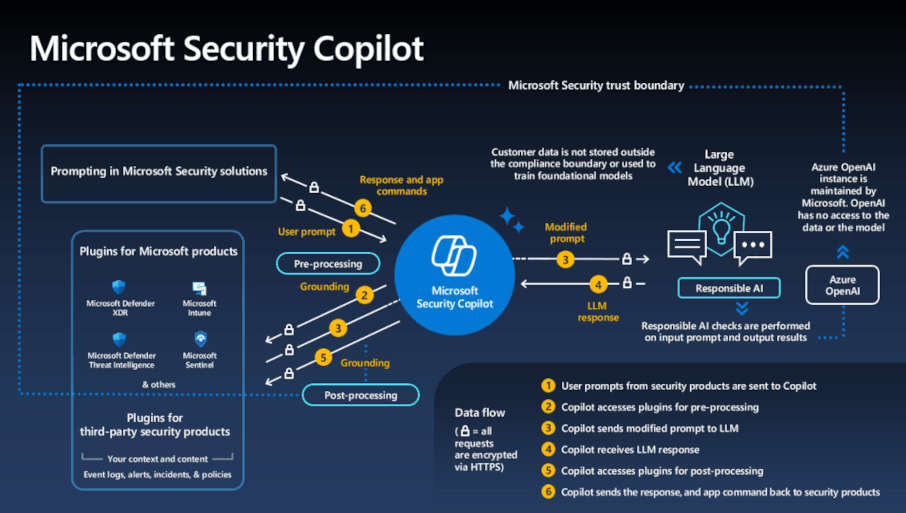
🤖 What are Agents?
To the point, an AI agent is a specialized algorithm built on top of an LLM (Large Language Model) that can perform a specific task autonomously or with a trigger. Usually agents are capable of using the environment around them as context to make decisions and take actions. Security Agents in particular do the excact same, just specialized on security tasks.
🫴 What are assistants?
An AI assistant is basically the same as an agent, with the one difference, that it requires human approval before taking any actions.
Specifically for Intune, Microsoft announced using mainly assistants instead of agents, because most Admins are not cool with an AI potentially changing settings in there whole environment without explicit approval. There is even a unified task screen in Intune since November 2025. This is specifically to help with any approvals that might come up. This is partly because of Assistants, but not exclusively. (You can learn more about Intune assistants here)
💰 What does it cost?
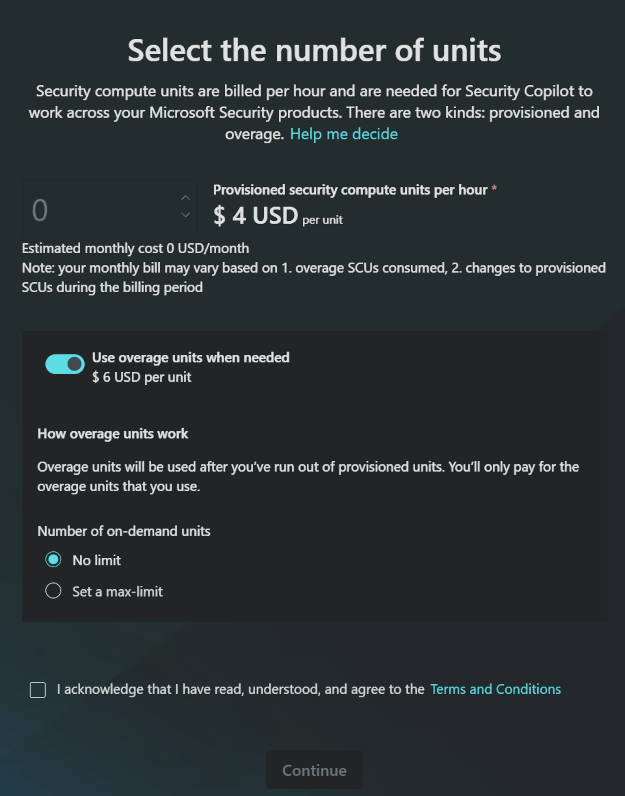
The cost of Security Copilot depends on the number of Security Compute Units (SCUs) you set up to run your workloads. You can use provisioned SCUs, which are charged by the hour or overage SCUs, which are charged consumption based. You basically pay for the amount you used each month, and if you use more, you pay extra units on top. But you need to provition 1 SCU minimum per month.
1 provisioned SCU costs 4$ per hour. 1 overage SCU costs 6$ per hour. (Dezember 2025)
EXAMPLE
You have 4 provisioned SCUs with an overage limit of 6 SCUs.
You run a prompt consuming 3 SCUs and use incident summarization in Defender, which consumes 0,5 SCU. You now used 3,5 total SCUs, so you’ll be charged 4 SCUs at 4$ per provisioned SCU, totaling $16 for that hour. (Provitioned SCUs are rounded up per clock hour, because the billing is always in hourly blocks. eg. from 3 pm to 4 pm)
You then run a promptbook that consumes another 3,2 SCUs during the same hour, for a total of 7,2 SCUs. That means you`ll now be charged for the provisioned 4 SCUs at 4$ and the 3,2 overage SCUs at 6$, making it 35,20$.
You can calculate the estimated costs for your needs using the SCU Calculator from Microsoft. If you want to learn more about which action consumes how many SCUs in your environment or overall, check out the Manage security compute unit usage in Security Copilot documentation.
INFO
Microsoft announced at Ignite 2025 that SCUs will be included for free in every Microsoft 365 E5 license. Microsoft 365 E5 customers get 400 SCUs every month for every 1,000 user licences they have, up to a maximum of 10,000 SCUs every month.
🖥️ What is an SCU?
An SCU (Security Compute Unit) is the amount of computing power you need to run Microsoft Security Copilot. You practically buy compute capacity for your prompts and tasks. The same principle as a prepaid mobile phone plan.
💿 How to provision Security Copilot
INFO
If you got Microsoft 365 E5 licenses and SCUs are included, then you can skip this whole thing completely and directly start using Security Copilot.
Prerequisites
- An active Subscription
- One of the following roles
- Global Administrator
- Billing Administrator
- Entra Compliance Administrator
- Intune Administrator
- Security Administrator
- Purview Compliance Administrator
- Purview Data Governance Administrator
- Purview Organization Management
- Contributor or Owner of the Subscriptions
Provisioning
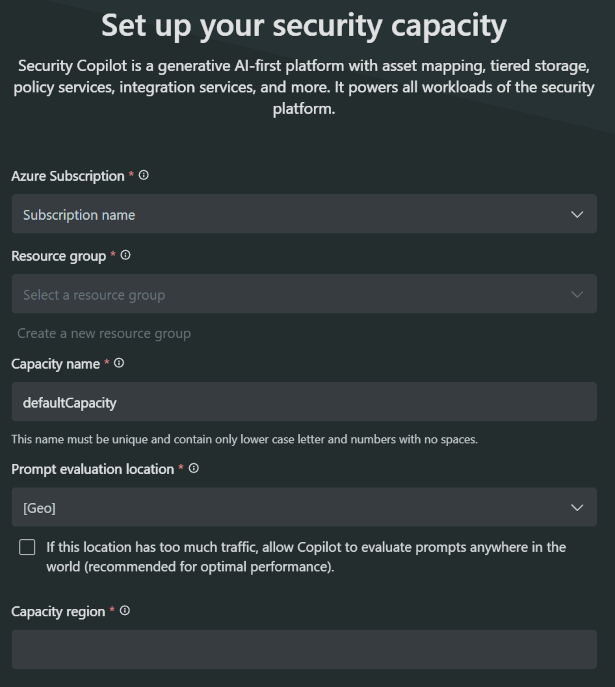
- Sign in to the Microsoft Security Copilot Admin Center and start the first run experience. Here you will need to select a subscription, a resource group, a name and locations. Underneath that you can select the number of SCUs you want to provision or overage, accept terms and conditions and click
Continue.
 |  |
|---|
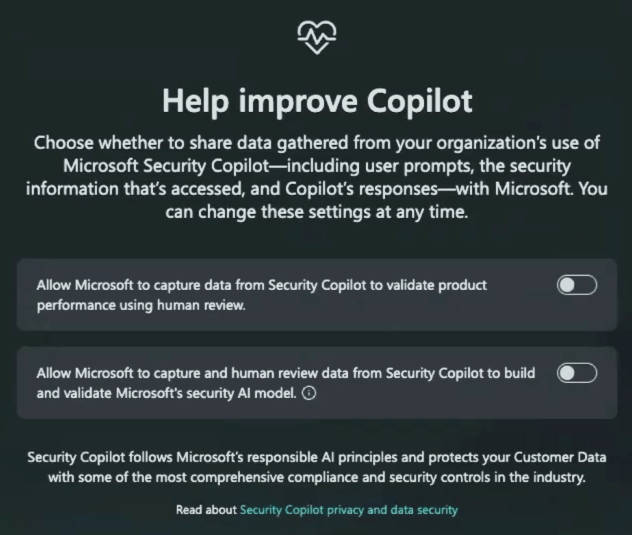
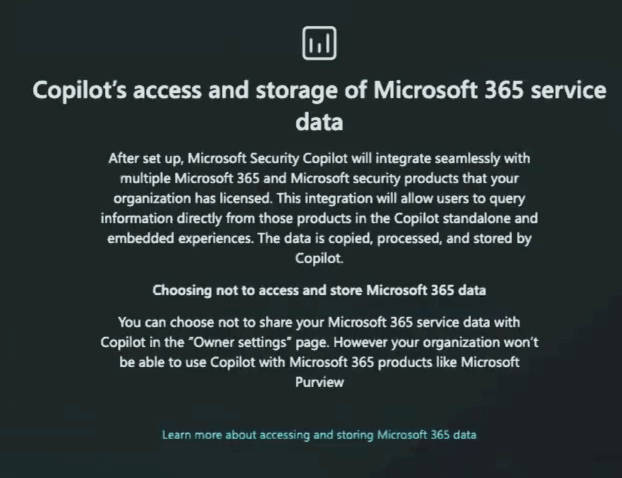
- Next screen you can opt-in to help Microsoft improve Security Copilot or not and in the screen after that you get the info that Security Copilot is obviously accessing your data.
 |  |
|---|
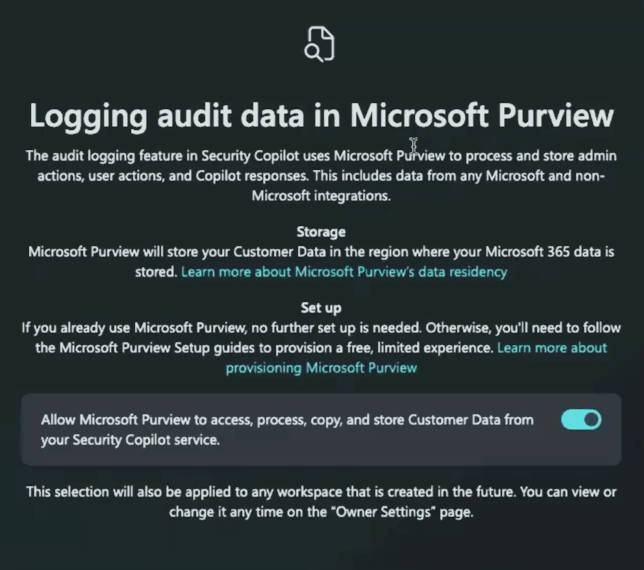
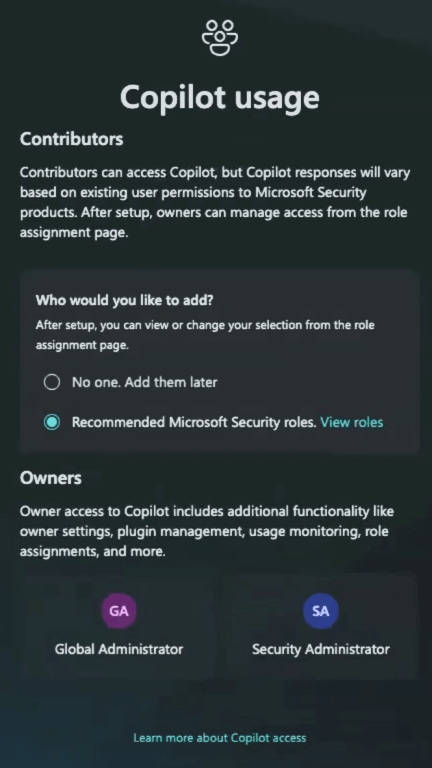
- Second to last configuration screen, you need to allow purview to basically be able to keep an eye on the data that Security Copilot is using. Lastly you get a screen with the default owner roles and the possebility to change them.
 |  |
|---|
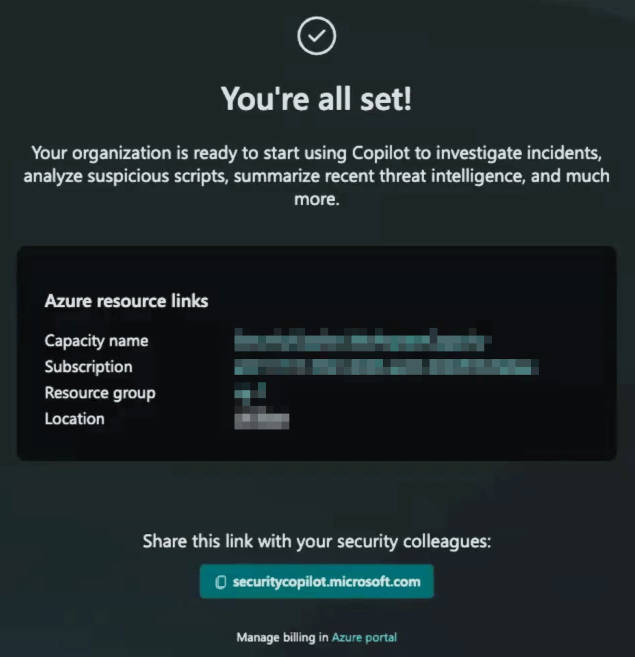
- With that done, the Copilot provisioning run a few seconds and you get a success confirmation.
💡 Conclusion
Security Copilot a great way to making your life as an admin easier. Not only as a security analyst, helping with triaging and investigating incidents, but also as an Intune or Entra admin, helping you write policies or queries. Now that SCUs are included in the E5 license, many companies get free access to it and can try for themselfs. The amount of agents for it and plugins will only grow steeply in the future and in my opinion is help in getting better information quicker especially important now that bad actors also use AI in there attacks.
AI is just another tool in your toolbelt of making your admin life easier and keeping your environment secure.
Microsoft provides the great Security Copilot Adoption Hub if you want to read more.